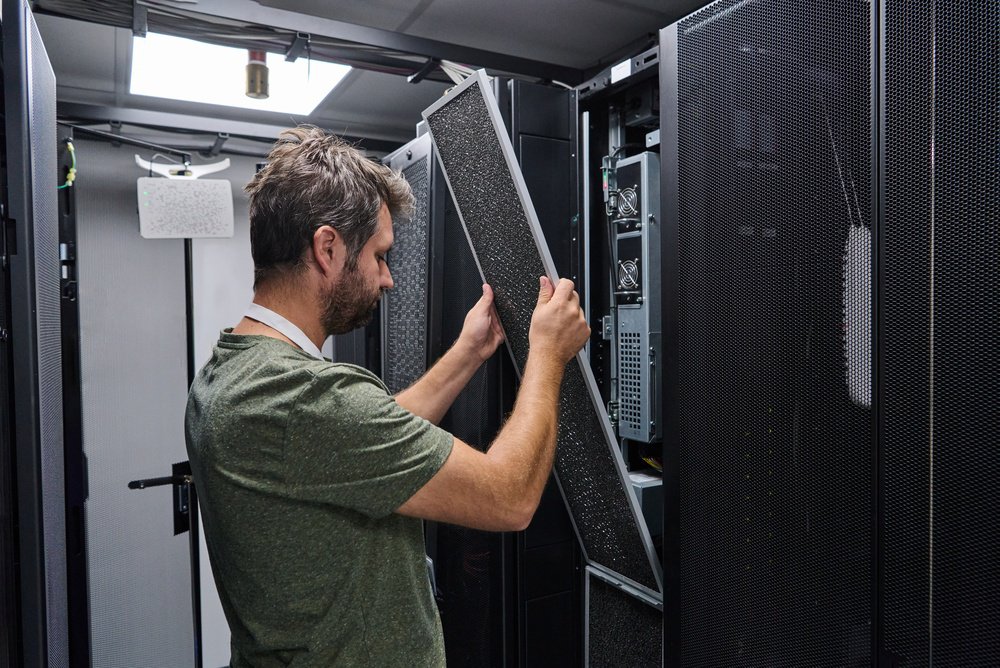
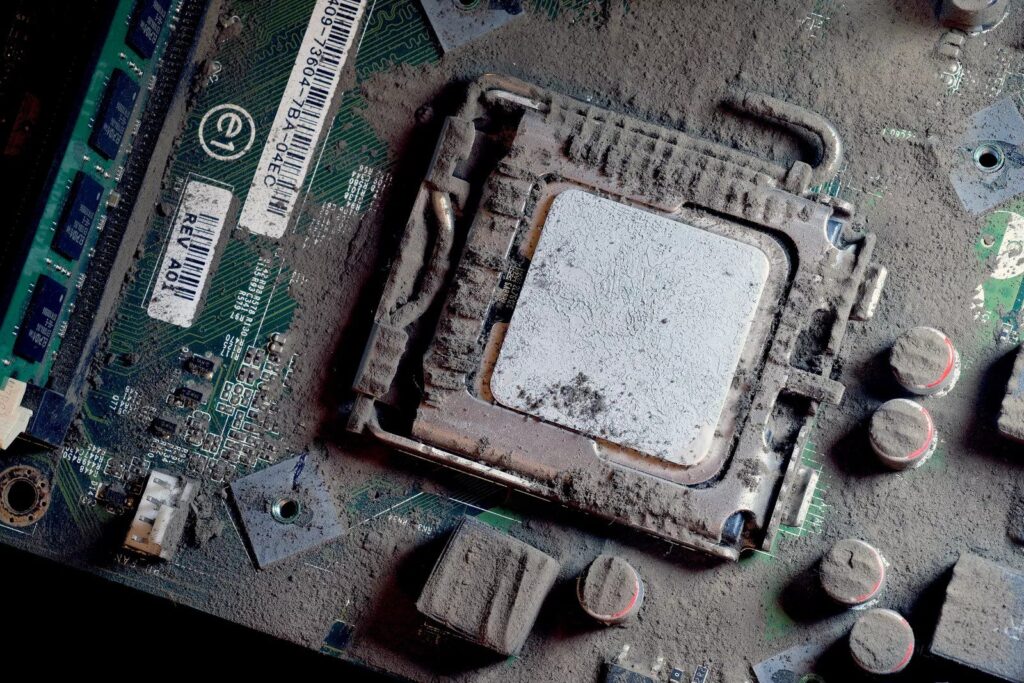
Black dust in a data center is a warning sign, not a cosmetic issue. When you see fine, sooty residue collecting on server faceplates, rack tops, return grilles, or high-airflow edges, assume it’s tied to mechanical wear or outside contamination moving through the HVAC path. The right response is structured: identify the source, quantify the spread, remediate without re-aerosolizing particles, and verify the environment is back under control.
This guide breaks down what black dust usually is, why it threatens uptime, how to pinpoint the origin, and what a proper live-site cleanup program looks like.
What Black Dust Is in Data Centers (And Why It Behaves Differently)
In controlled environments, black dust is rarely “just dirt.” It often has a fine, soot-like texture and tends to show up where airflow is highest (server intakes, perforated tiles, CRAC/CRAH returns) or where magnetic components attract metallic particles.
Common Sources of Black Dust
- Drive belt wear in AHUs / CRAC / CRAH units (most common): Rubber belts shed micro-particles (often containing carbon black) when they’re worn, misaligned, or running with improper tension. Those particles enter the airstream and get distributed through the room.
- Ferrous metal particulates: Friction at pulleys, bearings, and moving assemblies can release iron oxide and other metallic particles. These can be conductive and may be attracted to motors and fans.
- Outdoor atmospheric pollution: In urban areas, soot and carbon black from traffic or industrial sources can enter the facility when filtration is underspecified, bypassed, or compromised.
Operational takeaway: black dust that shows up “suddenly” is often tied to a change, such as belt degradation, a mechanical issue, a filtration gap, or nearby construction/pollution events.
Black Dust Risks to Uptime and Hardware Reliability
Compared with common light-colored household dust (often skin cells and fabric fibers), black dust has a higher chance of including carbon or metal content, meaning it can create the following electrical and mechanical problems.
- Electrical shorts and board damage
- Magnetic attraction and mechanical wear
- Thermal insulation and efficiency loss
- Fire and combustion risk
Let’s define each of them more.
1) Electrical Shorts and Board Damage
Conductive dust can bridge traces, connectors, or solder points. Over time, that can support dendrite growth under the right humidity conditions, increasing the likelihood of intermittent faults and eventual shorts.

2) Magnetic Attraction and Mechanical Wear
If the dust includes ferrous particles, it can collect near magnets and motors (traditional hard drives, fan motors, and other rotating components), raising the risk of premature mechanical failure.
3) Thermal Insulation and Efficiency Loss
A thin layer of dust on heatsinks, filters, or intake paths reduces heat transfer and airflow. That drives higher component temperatures, increases fan speeds, and can push energy use upward while reducing thermal headroom.
4) Fire and Combustion Risk
Rubber and carbon dust can be combustible when concentrated. In high-voltage areas, accumulation increases risk. Even when ignition is unlikely, combustible loading is not something you want near power distribution and dense cabling.
How to Identify the Source of Black Dust Before Cleaning
Cleaning first and diagnosing later is how the problem comes back, sometimes within weeks. Start with basic field checks, then confirm with instrumentation when needed.
The Swipe Test (Fast Triage)
Use a white, lint-free cloth and swipe a flat surface near airflow paths (rack top, cabinet lip, supply/return edge).
- Greasy or oily residue: more consistent with rubber belt wear and mechanical byproduct.
- Gritty and magnetic residue: more consistent with metal wear (use a small magnet outside the cloth to see if particles pull).
Hvac Inspection (Find the Generator)
Inspect air handlers and cooling units (following site safety procedures). Look for:
- Black streaking on internal walls
- Dust accumulation near motor bases
- Piles or “drift” patterns near belt-driven assemblies
Particle Counting and Trending (Confirm Spread)
Professional assessment uses laser particle counters to determine whether contamination is:
- Localized (one failing unit, one airflow zone), or
- Facility-wide (filtration issue, widespread distribution)
This distinction matters because it changes the remediation plan: local mechanical repair plus targeted cleaning vs. broad decontamination plus filtration corrections.
Remediation Checklist for Black Dust in Live Data Centers
A janitorial approach makes things worse by pushing fine particles back into the air, right where server fans pull them inside equipment. Remediation needs controlled methods and the right filtration.
Black Dust Remediation Steps That Hold Up in Critical Environments
- HEPA/ULPA vacuuming with certified filtration: Use vacuums designed to capture fine particles (commonly referenced at 0.3 microns). Standard vacuums can exhaust the most hazardous fraction back into the room.
- Belt maintenance and alignment: Replace worn belts and correct root causes. Many facilities move from standard rubber belts to EPDM belts to reduce shedding, paired with proper pulley alignment (often laser alignment) and tensioning.
- Subfloor plenum decontamination: Black dust often settles under raised floors. When fans ramp up or systems restart, that subfloor reservoir becomes a source of recontamination into the cold aisle.
- Targeted cleaning of intake pathways: Address server faceplates, cabinet exteriors, and air intake zones using non-shedding materials and controlled techniques that keep particles captured, not airborne.
- Post-clean verification: Use particle counting aligned to ISO cleanliness goals (many data centers target ISO 14644-1 Class 8 as a baseline) to document recovery after remediation.
Where Black Dust Hides Most Often
- Underfloor slab and pedestals
- Cable troughs and cutouts near perforated tiles
- Above-ceiling voids over return paths
- Inside CRAC/CRAH housings near belts and motors
Reference Table: Source, Risk, What to Fix
For a quick reference on how to fix black dust reoccurrence, check this table out to learn more, including where black dust may come from.
| Likely Source of Black Dust | Primary Risk | Fix That Prevents Repeat Events |
|---|---|---|
| Worn/misaligned drive belts | Conductive carbon residue, widespread distribution | Replace belts (often EPDM), align pulleys, correct tension, inspect filtration |
| Bearing/pulley wear (metal) | Conductive particles, motor/fan collection | Repair/replace failing components, confirm source location, deep clean near airflow |
| Outdoor soot / filtration gap | Facility-wide residue, intake loading | Upgrade/repair filtration, seal bypass paths, verify with particle counts |
The SET3 Advantage for Black Dust Investigations
Since 1995, SET3 has supported contamination control in mission-critical environments. For black dust events, the work is equal parts remediation and root-cause isolation:
- Science-backed audits: Particle data and documented findings that show where contamination is concentrated and what conditions are driving it.
- Live-site capable methods: Trained technicians who work around active, high-value infrastructure with procedures designed to reduce the chance of accidental trips or disruption.
- Closed-loop approach: Cleaning, verification testing, and guidance on preventing recurrence (mechanical drivers, filtration gaps, subfloor reservoirs).
Get a Black Dust Source Assessment and Remediation Plan With SET3
If you’re seeing black dust on racks, intakes, or in airflow paths, treat it as an environmental incident, then close it out with evidence. Talk with SET3 about a contamination assessment, particle testing, and a live-site remediation scope that protects uptime.